Word or Google Docs to Write a Novel: When They're Enough
If you're writing a novel in Word or Google Docs right now, you're in good company: they're still the most-used tools among writers, even the ones who eventually switch to dedicated software. The right question isn't whether they're "the wrong tools." They're not. It's at what point in your project they start costing you more time than they save. This article tries to answer that honestly, without the usual list of reasons you "should switch right now."
What you'll find in this article
- The average novel runs between 70,000 and 100,000 words, depending on genre (Reedsy, 2026), a volume Word and Google Docs handle without technical trouble
- Word slowing down on long documents almost always comes down to images, tables, and complex styles, not the word count itself
- Google Docs has a hard character cap per document: irrelevant for a single novel, real if you keep several books in the same file
- .docx remains the format agents and editors expect for manuscript submissions, whatever software you actually write in
Why most writers start here (and often stay)
Word and Google Docs win for a simple reason: you already know how to use them. No learning curve, no manual, no decisions to make before you write the first sentence. Google Docs adds automatic cloud saving and the ability to write from your phone on the train, while Word remains the format that anyone (editors, proofreaders, literary agents) can open without a second thought.
There's also a less practical, more honest reason: plenty of published novels were written exactly this way. Stephen King drafts his manuscripts in Word. You don't need specialized software to write well. You need to finish the novel, and a tool you already know removes one obstacle from the path.
When are Word and Google Docs genuinely enough?
More often than the "writing software" narrative wants you to believe. If you're writing a short story, a novella, or your first novel and just want to get a first draft done without getting sidetracked by new settings and features, a generic word processor is the right call, not a compromise.
They're also enough if your novel has a simple structure: a few points of view, a linear timeline, not too many characters to keep track of. In that case, scrolling through a single document with Ctrl+F to find a name or a scene is faster than opening an interface with multiple panels that, for a small project, add more choices than you actually need.
Practical signal: if you can hold your novel's structure in your head without writing it down somewhere, you probably don't need anything else yet.
Does a long novel really break Word?
Less than the internet would have you believe. Digging through real user reports of very large Word documents turns up a counterintuitive data point: a 360,000-word, 1,700-page document, almost entirely text, showed no slowdown at all even on an old laptop (Microsoft Q&A technical discussion, retrieved 2026-07-14). The real slowdowns reported elsewhere almost always involved documents heavy with images, tables, and complex styles. Not the plain text of a manuscript.
The average novel, at 70,000 to 100,000 words (Reedsy, 2026), is almost always just flowing text: no embedded images, no tables, minimal formatting. That's exactly the kind of document Word handles best. The slowdown you're dreading probably won't happen, unless you start pasting maps, reference photos, or continuity tables directly into the manuscript file.
Do this now: if your document really is lagging, check how many images or tables you've pasted into it before you blame the software. Move them to a separate file and, in most cases, the problem disappears.
What real limits show up in a long novel?
The real limits aren't about speed, they're about organization, and they show up mostly past the 60,000-70,000-word mark, once the amount of material outgrows what you can hold in your head. A whole novel in a single document means scrolling back and forth to find a scene, with no overview of chapters that would let you reorder them by dragging instead of cutting and pasting.
Native character sheets are missing too: to avoid forgetting that a character's eyes were green in chapter 3 and not brown in chapter 20, the usual fix is a second document of notes, open in a parallel window. One more file to keep updated by hand. The same goes for synopses and chapter notes: in Word or Docs, they live in a separate file, or at the top of the document, never next to the text they refer to.
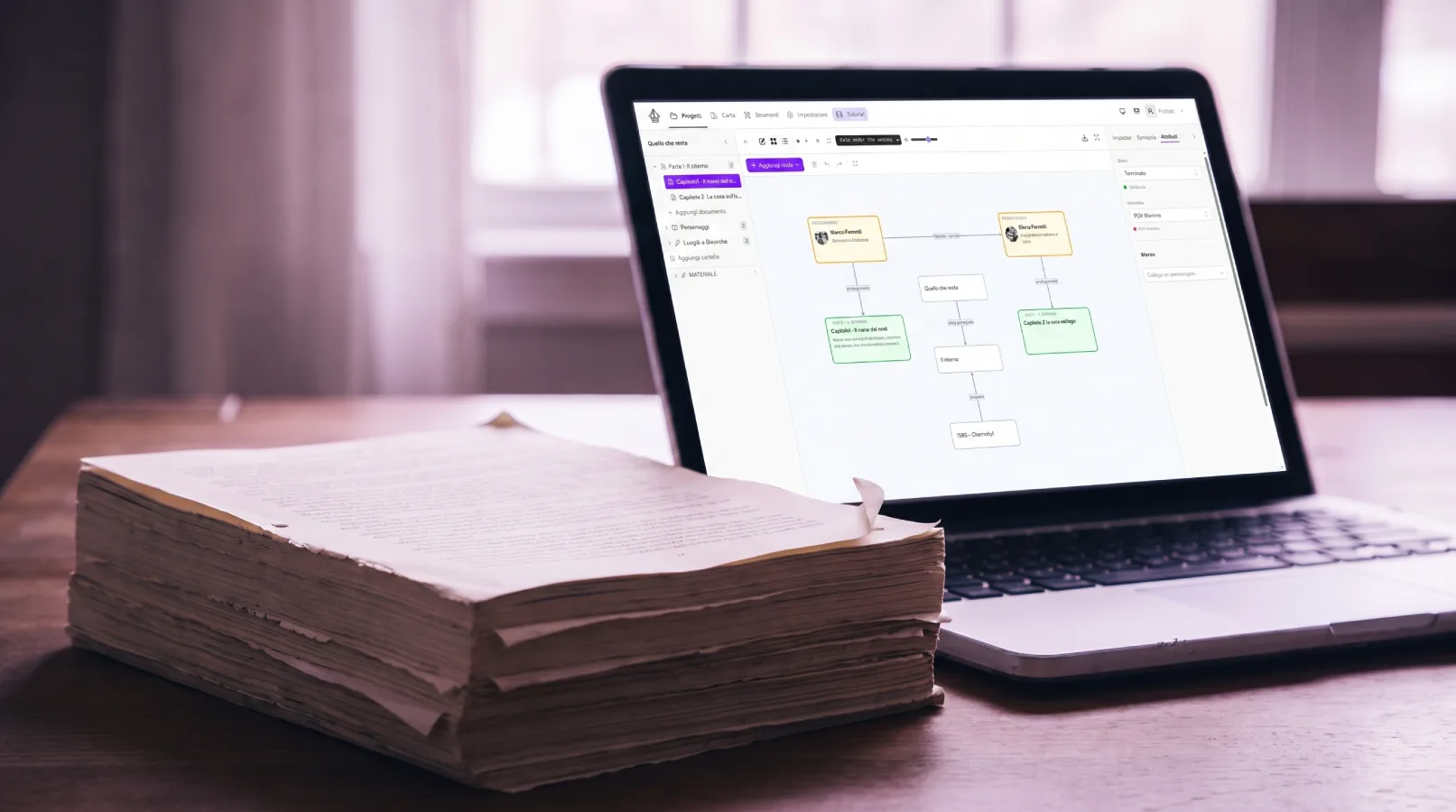
This is exactly where dedicated fiction-writing software like GrinTale sets itself apart from a generic word processor: a corkboard to see every scene at a glance, character sheets linked to chapters, an outline view for reordering without cut-and-paste.
Practical signal: if you have a folder full of names like novel_v3_FINAL, novel_v3_FINAL_revised, character_notes, timeline.docx, the problem isn't the software you're writing in. It's that your story's structure has outgrown what a single document can hold in a readable way.
What's Google Docs' actual technical limit?
Google Docs enforces a hard character cap per document. Official Google support threads put the figure somewhere around a million characters or a bit more, depending on the case (Google Docs Editors Community, retrieved 2026-07-14). For a single 90,000-word novel, which comes out to roughly 500,000-550,000 characters, you stay well under that: it's not a problem you'll ever run into for one book at a time.
The limit only becomes real in one specific case: if you keep an entire trilogy, or a novel plus every past revision, in the same file for convenience. That's a more common habit than it sounds, and that's exactly when Google Docs' character cap stops being a technical curiosity and becomes a real constraint to work around by splitting the project into multiple documents.
Why .docx never really goes away
Even writers who move to dedicated fiction software almost always end up exporting to .docx sooner or later. It's the format literary agents and editors expect for manuscript submissions, alongside 1-inch margins, 12-point Times New Roman, double spacing, and indented paragraphs (manuscript formatting guides for agents, 2026). PDFs are often discouraged too, because they stop agents and editors from adding comments and edits directly in the file.
That means .docx is never really "obsolete": it stays the common endpoint downstream of whatever tool you actually choose to write in, dedicated or generic.
Checklist: 8 questions to see where you stand
- Can you hold your novel's structure in your head without writing it down anywhere? If yes, Word or Docs are probably still enough for you.
- Do you already have more than one file for the same novel (draft, notes, timeline)? That's a sign you're already compensating for an organization gap.
- Can you easily find a specific scene with Ctrl+F? Once you stop remembering which chapter something is in, text search starts falling short.
- Does your novel have multiple timelines or points of view to keep track of? Narrative complexity matters more than length.
- Is your document genuinely lagging, or have you just heard it "should"? Check for pasted images and tables first.
- Are you keeping more than one book in the same Google Docs file? That's the one scenario where the character cap becomes a real problem.
- Do you already know you'll need to export to .docx for an agent or editor? Then that step is coming regardless of what you write in.
- Is the problem you're feeling about organization, or about habit? Sometimes the fix is a well-kept second notes document, not a new piece of software.
Frequently asked questions
Does Word really slow down with a 100,000-word novel?
Rarely, if the document is text-only. Documented cases of real slowdown almost always involve files heavy with images, tables, or complex styles, not the manuscript's word count (Microsoft Q&A discussion, 2026).
What's the maximum character limit for a Google Docs document?
Official support communities report a cap around a million characters or a bit more (Google Docs Editors Community, 2026). A single 90,000-word novel (roughly 500,000-550,000 characters) stays well under that: the limit only affects writers keeping multiple books in the same file.
Do I have to save my novel as .docx eventually?
Yes, sooner or later, at least for submission. Agents and editors expect manuscripts in .docx format, with standard margins and spacing, because it lets them add comments directly in the file, something a PDF doesn't handle as well (manuscript formatting guides, 2026).
How long does a novel need to be before you need more than Word?
There's no fixed word-count threshold: structural complexity matters more than length. The most reliable signal isn't your word count, it's the number of separate files (draft, notes, timeline) you've already started keeping to compensate.
The bottom line
Word and Google Docs aren't "outdated" tools: they're the right choice for a first draft, for short projects, for anyone who just wants to write without opening something new. The real limits show up when your novel's structure, not its word count, outgrows what a single document can hold in a readable way: files to sync by hand, characters to track in a side window, chapters to reorder by cut-and-paste. If you recognize these signals, it's not a judgment on how you work. It's just the point where it's worth taking a look at a dedicated tool like GrinTale.
SOURCES
- Reedsy, "How Many Words in a Novel? (Updated for 2026)", retrieved 2026-07-14, https://reedsy.com/studio/resources/how-many-words-in-a-novel
- Microsoft Q&A, "Large document has become sluggish to edit", technical discussion retrieved 2026-07-14, https://learn.microsoft.com/en-us/answers/questions/4854824/large-document-has-become-sluggish-to-edit
- Google Docs Editors Community, "Why does Google Docs limit my document to 1,532,197 characters?", retrieved 2026-07-14, https://support.google.com/docs/thread/17334168/why-does-google-docs-limit-my-document-to-1-532-197-characters?hl=en
- Kindlepreneur, "How to Format Your Manuscript for Agents & Editors" (updated 2026 guide), retrieved 2026-07-14, https://kindlepreneur.com/manuscript-format/
Pronto a scrivere il tuo prossimo capolavoro?
15 giorni gratis, nessuna carta richiesta.